What Is the Upwork MCP Server?
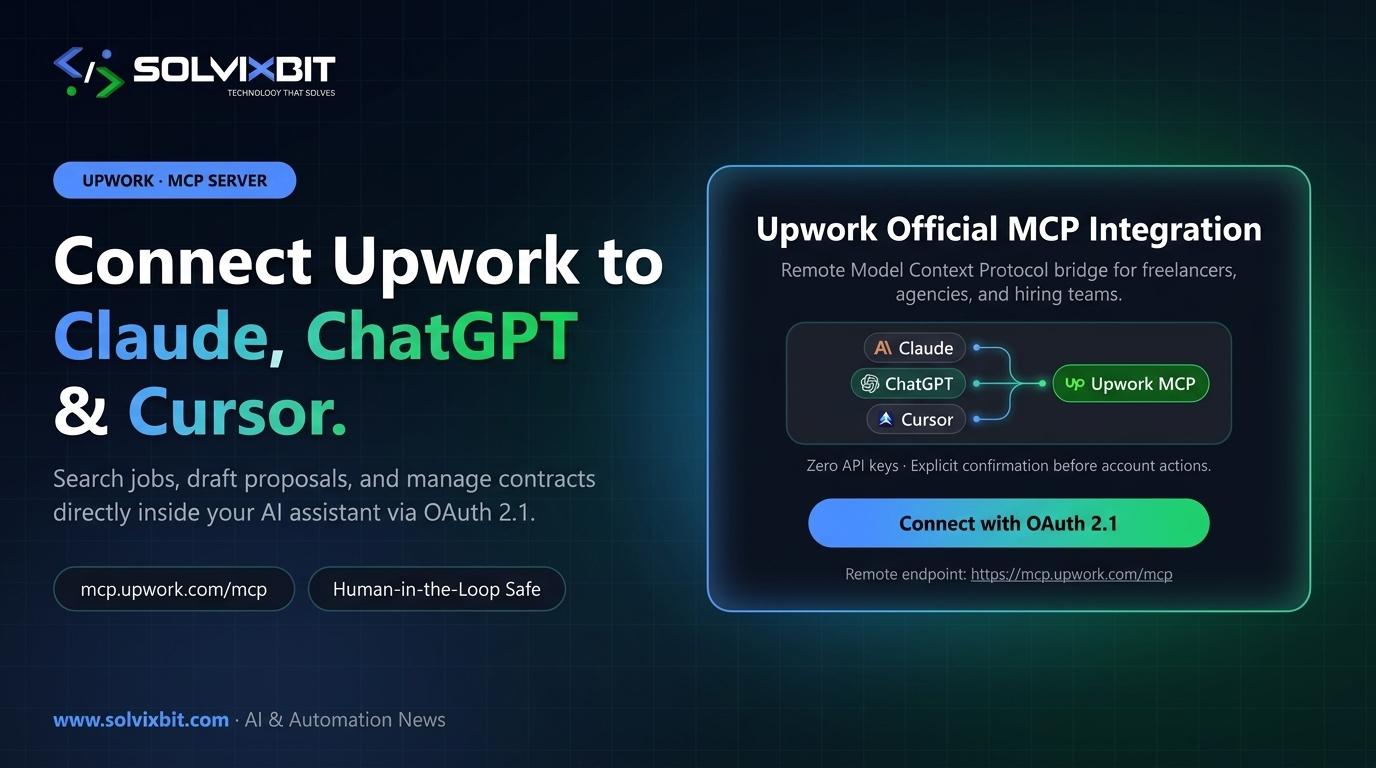
The Model Context Protocol (MCP) has quickly become the universal open standard for connecting AI assistants to live external tools and business data. Instead of relying on fragile browser extensions, screen scrapers, or manual copy-pasting, Upwork now hosts an official remote MCP server at https://mcp.upwork.com/mcp.
By connecting a compatible AI client—such as Claude, ChatGPT, or Cursor—you can query live Upwork marketplace data, evaluate opportunities, and manage active workflows directly from your AI workspace.
What Freelancers, Agencies & Clients Can Do
Once authorized, the Upwork MCP server exposes structured tools tailored to both sides of the marketplace:
- For Freelancers & Agencies: Search and filter live job postings by skill, budget, and client history; inspect project briefs in full context; draft tailored proposals grounded in your portfolio; monitor incoming messages; and check your available Connects balance.
- For Clients & Hiring Teams: Source and screen global engineering talent, compare applicant shortlists, review contract milestones, and coordinate hiring workflows without constantly switching browser tabs.
OAuth 2.1 & Human-in-the-Loop Safeguards
Enterprise-grade AI integrations require strict boundaries around credentials and state-changing actions. Upwork's MCP implementation enforces two critical safeguards:
- OAuth 2.1 Authentication: You authenticate through Upwork's official browser sign-in flow—never by pasting raw passwords or static API keys into a chat prompt.
- Explicit Human Confirmation: Read-only discovery runs smoothly, while actions that modify your account state or commit resources (such as submitting a proposal or sending a contract offer) require explicit human-in-the-loop review and confirmation before execution.
Connecting Claude, ChatGPT & Cursor
Because Upwork hosts the MCP endpoint remotely, no local server compilation or Docker setup is required:
- Claude (Desktop / Claude Code): Open your connector or MCP settings, locate Upwork in the connector directory (or add the remote URL
https://mcp.upwork.com/mcp), and complete the browser OAuth prompt. - ChatGPT: Open your workspace's connected apps or developer MCP configuration, add a custom connector named Upwork pointing to
https://mcp.upwork.com/mcp, authorize via OAuth, and invoke it in chat with@Upwork. - Cursor: Register the remote Upwork MCP endpoint in your Cursor MCP settings (
mcp.json) and complete the browser-based OAuth login to access Upwork context right inside your IDE.
Why Remote MCP Is Replacing Fragile Scrapers
From a systems architecture perspective, Upwork's hosted MCP server signals a broader industry shift: platforms are moving from closed web UIs toward agent-ready, OAuth-authenticated protocol endpoints.
For engineering teams and product leaders, the pattern is clear—exposing clean, permission-scoped MCP tools with human-in-the-loop confirmation gates is rapidly becoming the standard way to make SaaS platforms safely operable by AI assistants.